How to Create a Guide on DockDoc

2
This guide explains how to submit a repair or maintenance guide on DockDoc, step by step.
Safety notes: Create a guide when you: Solved a real problem on a boat, repaired, replaced, or adjusted something yourself or learned a repeatable process others can follow

Tools needed

Parts needed

  • Example part 1
  • Example part 2
  • Example part 3
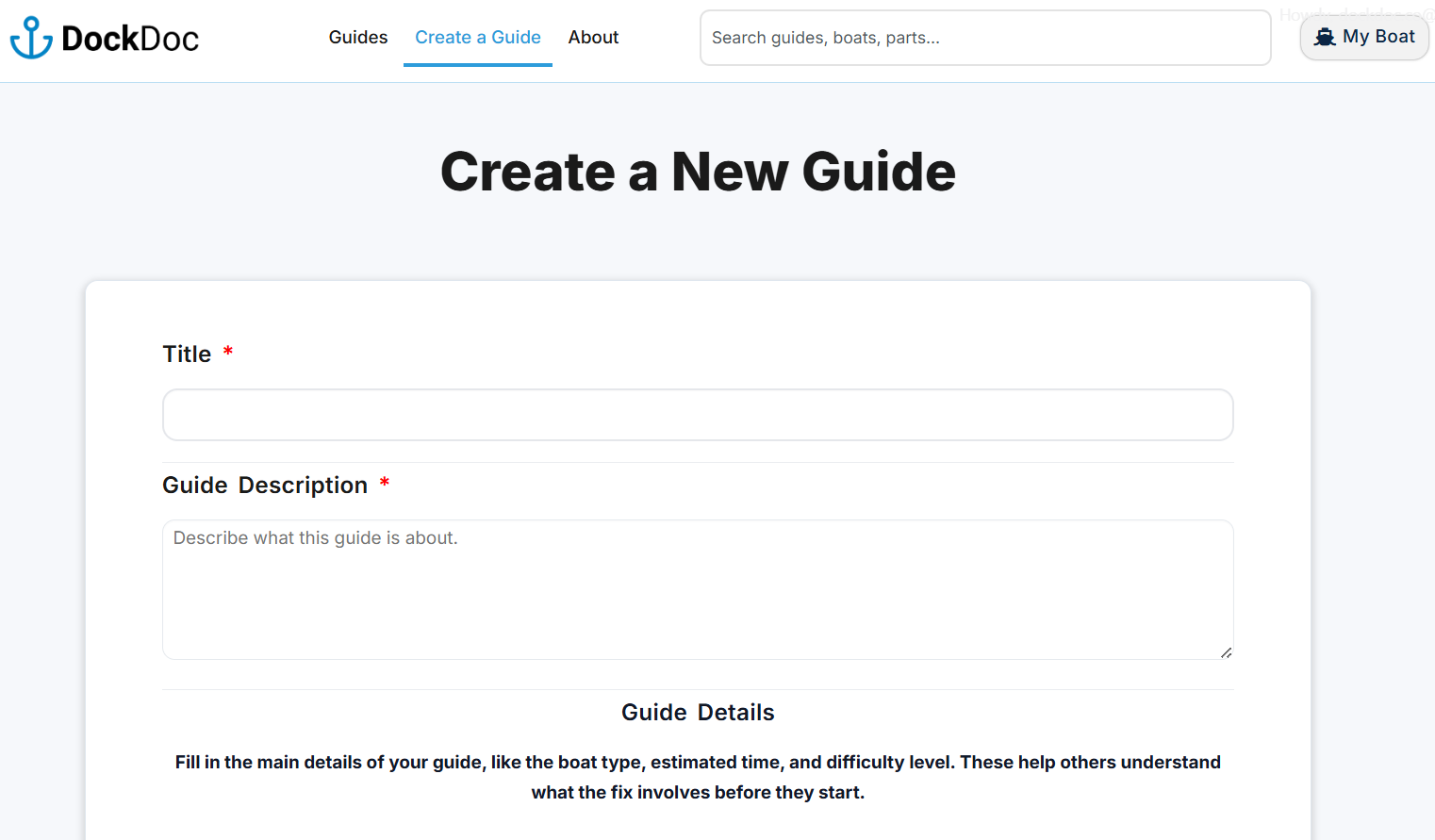
Open the “create a Guide” page add a Title and Describe the Problem

Log in and open the Submit a Guide page.

Begin by:

  • Entering a clear, descriptive Guide Title
  • Writing the Guide Description, explaining:
    • What the problem is
    • What symptoms appear
    • When the issue occurs

The goal is to help readers quickly confirm they are dealing with the same problem.

This form is where you will enter all guide content.
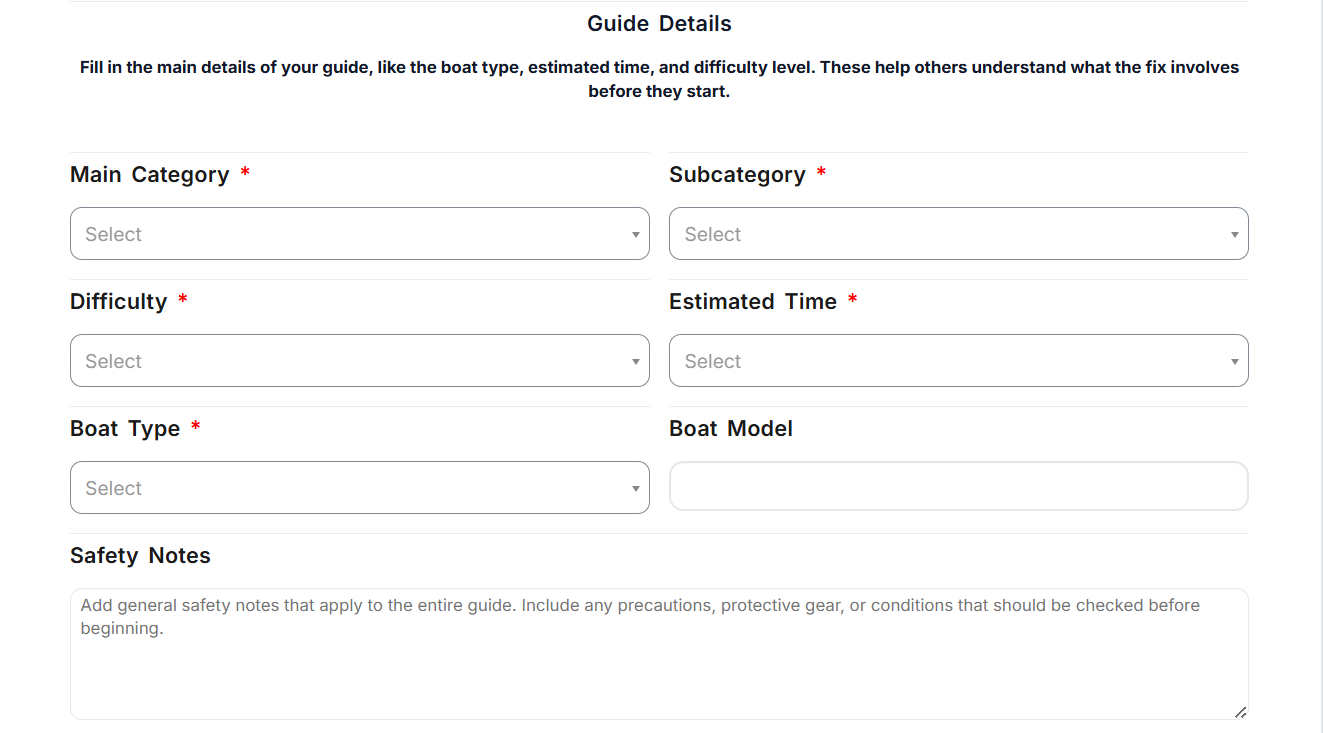
Fill in the Guide Details

Complete the Guide Details section to give readers important context before starting.

Fill in:

  • Main Category and Subcategory
  • Difficulty level
  • Estimated time
  • Boat type (and model if relevant)
  • Safety notes if the task involves risk

Choose the options that best match the core issue.

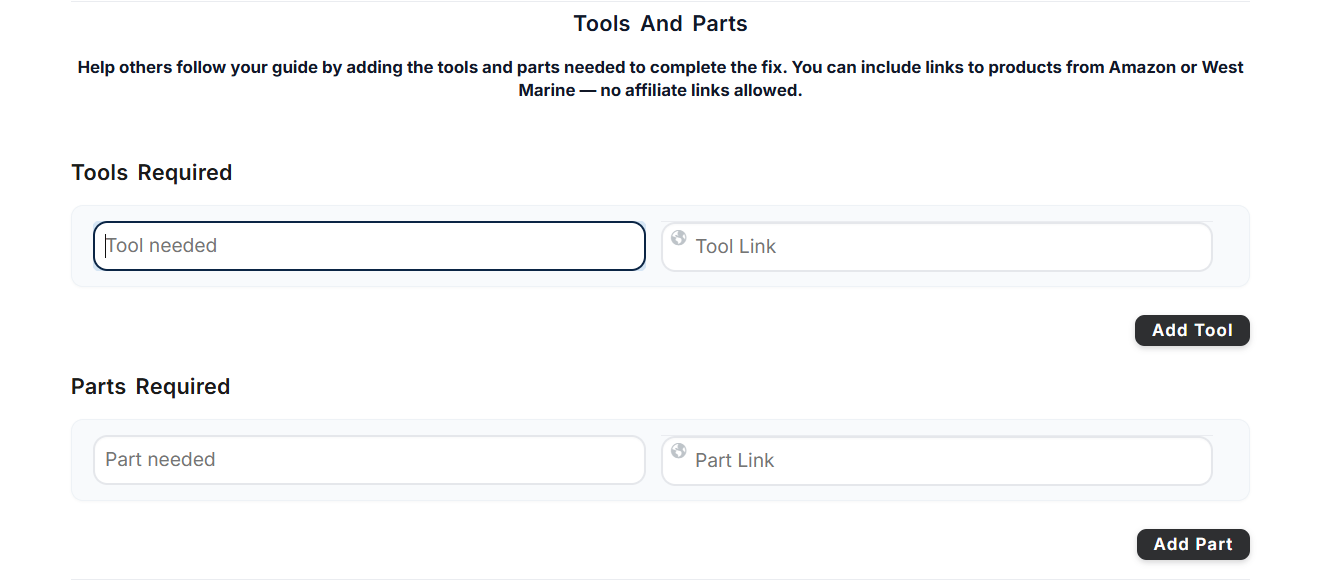
Add Tools and Parts needed for the repair

List everything needed before starting the repair.

Tools Required:
Write tool names, one per line (for example: multimeter, screwdriver), add dimensions and a link to where a reader could find that tool.

Parts Required:
Write any replacement parts or consumables needed, including size or rating if relevant and add a link to where the reader could find that part.

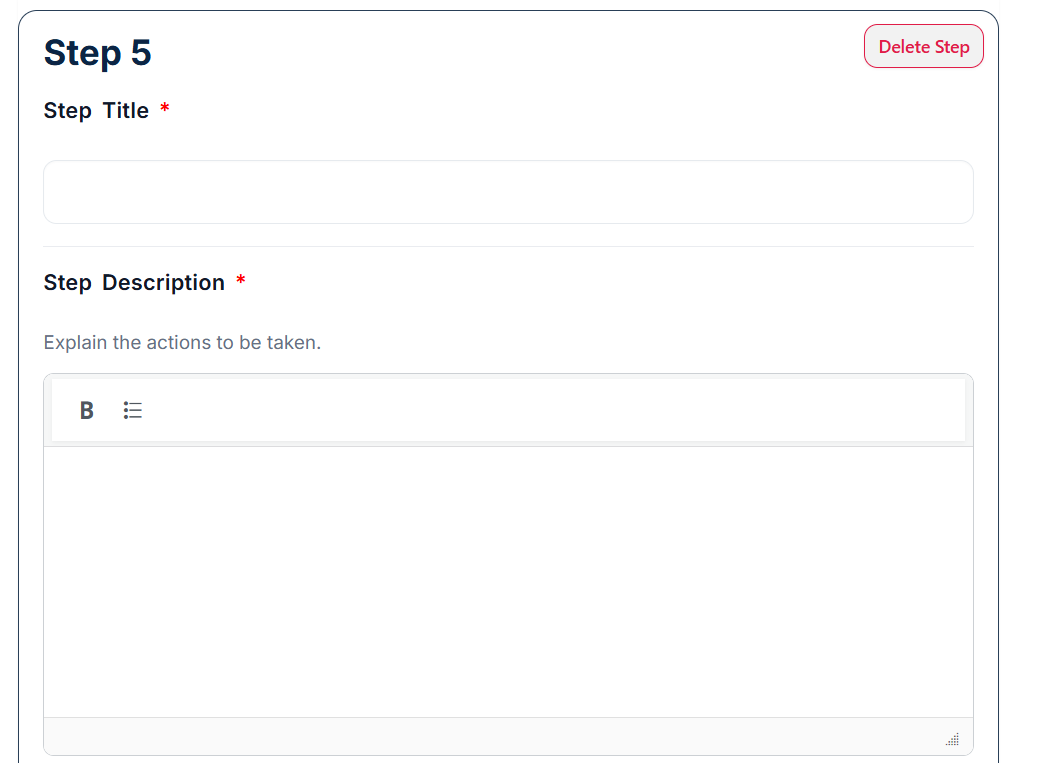
Add Step-by-Step Instructions

This is the main part of the guide.

For each step:

  • Add a short, action-based Step Title
  • Write a Step Description explaining what to do, where to do it, and what to look for
  • Upload an image/video to help show location, orientation, and action to be done.
  • Use Info Notes for helpful tips
  • Use Warning Notes when safety or damage is a concern
Each step should describe one clear action.
If a step gets long, split it into two.
Add a Summary, Save, and Submit

Finish your guide by adding supporting information.

  • Guide Summary:
    Add short tips or important notes that don’t belong in a specific step.
  • Featured Image:
    Upload one clear image that represents the guide in lists and search results.

You can save your guide as a Draft and return later.
When ready, click Submit to send it for review.

Submitted guides appear as Pending Review in your My Boat dashboard, where you can track status or continue editing drafts.

Guide summary:

Write your guide like you’re explaining the fix to another boat owner at the dock: clear, practical, and based on real experience.

Was this guide helpful? 

Give it a Star

2

Have experience with boat repairs?

Help other boat owners by sharing your repair knowledge

Liability disclaimer: DockDoc guides are user-generated and for informational purposes only. Always use caution and verify instructions before working on your vessel. DockDoc is not responsible for injury or damage resulting from the use of these guides.

Affiliate Disclaimer: Some links in this guide may be affiliate links. Learn more →